Let the weather plan your day
Check conditions, scan the forecast, manage your cities, and turn the weather into clear daily decisions — what to wear, when to go, what to prepare.
- 📍 Permission-based location
- 🌆 Multi-city
- 🌏 EN / 中文
Three steps to a weather-ready day
From forecast to a real decision in seconds.
Add your cities
Add your home city and anywhere you travel, and grant location for instant local weather.
Check conditions & forecast
See current weather, hourly changes, and the multi-day outlook at a single glance.
Plan with confidence
Turn the forecast into decisions: what to wear, when to head out, what to prepare.
Made for your kind of day
Commuters
Hourly changes decide when you leave.
Travelers
Keep every destination city one swipe away.
Family planners
Watch the weather where your people are.
Outdoor movers
Find the dry, cool window for your run.
Everything you need to read the sky
A practical weather surface, not just a list of numbers.
Current conditions
Temperature, condition, feels-like, and the context you need first — all up front.
Hourly & multi-day forecast
Scan short-term changes hour by hour and plan several days ahead with a clear outlook.
City management
Save multiple locations for home, travel, and family, and switch between them instantly.
Practical guidance
Clothing tips, weather alerts, and preparation cues turned from raw conditions.
Bilingual interface
Full English and Simplified Chinese, with a one-tap switch anytime you like.
Privacy-minded
Location is permission-based and used only to fetch weather — no account, no ads.
From forecast to decision — try it
Pick a sky. This is what AI Weather does with every forecast.
Wear
Light, breathable layers + sunscreen
Bring
Sunglasses and a water bottle
Timing
Best outdoor window: before noon
Real app screens
Swipe through — tap any shot to zoom in.
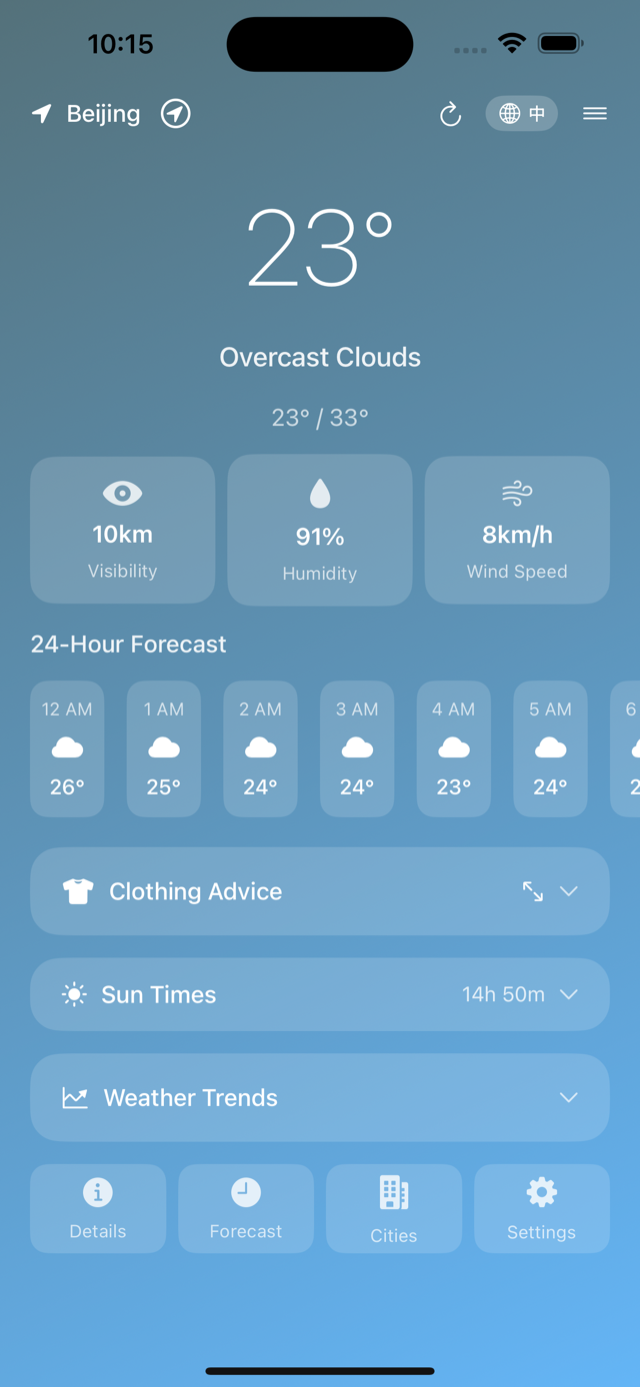
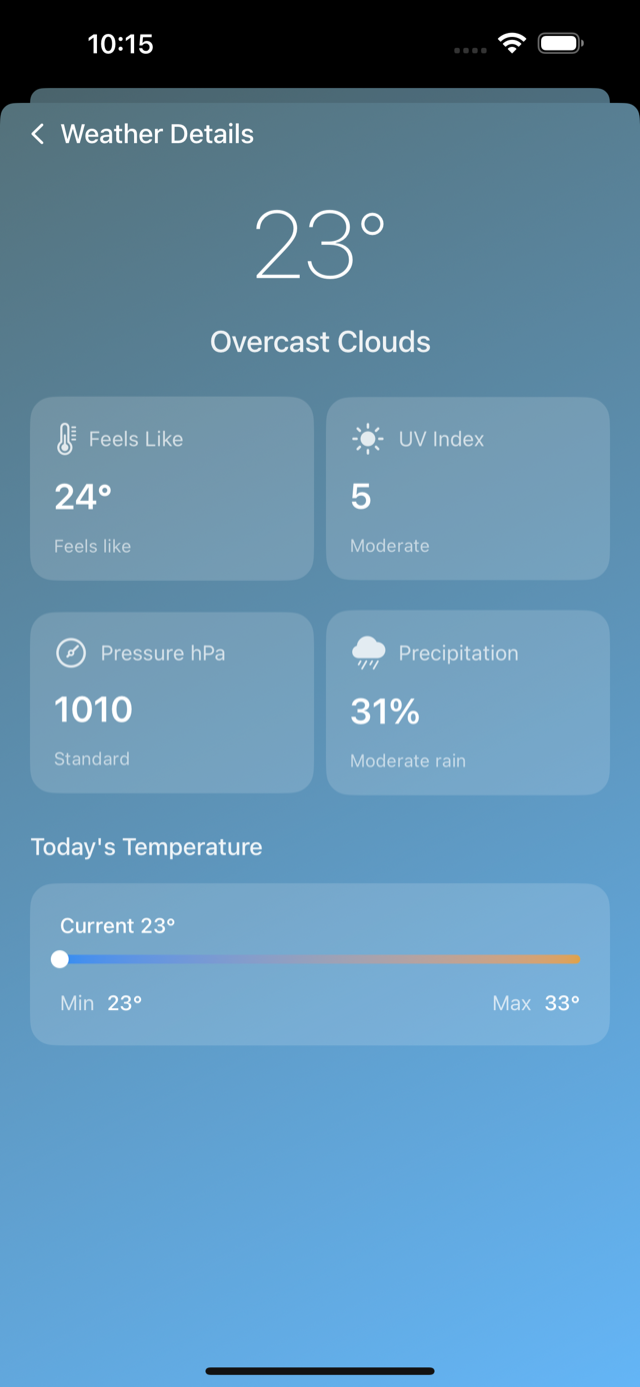
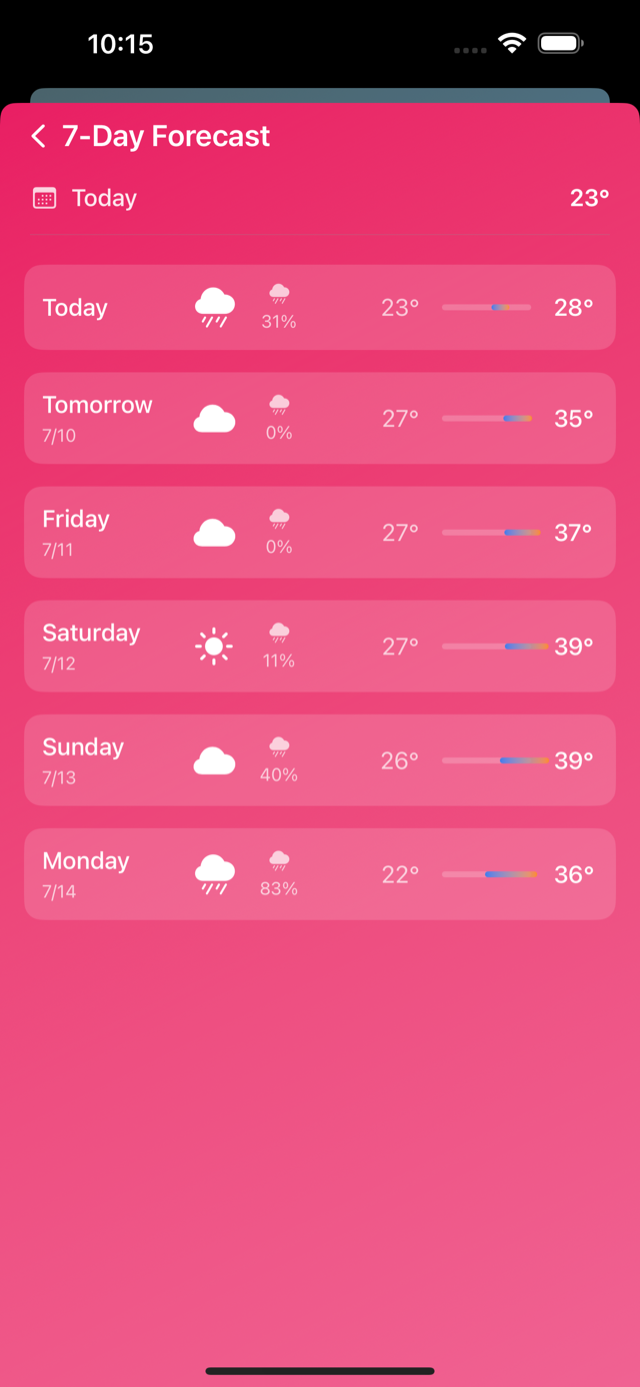
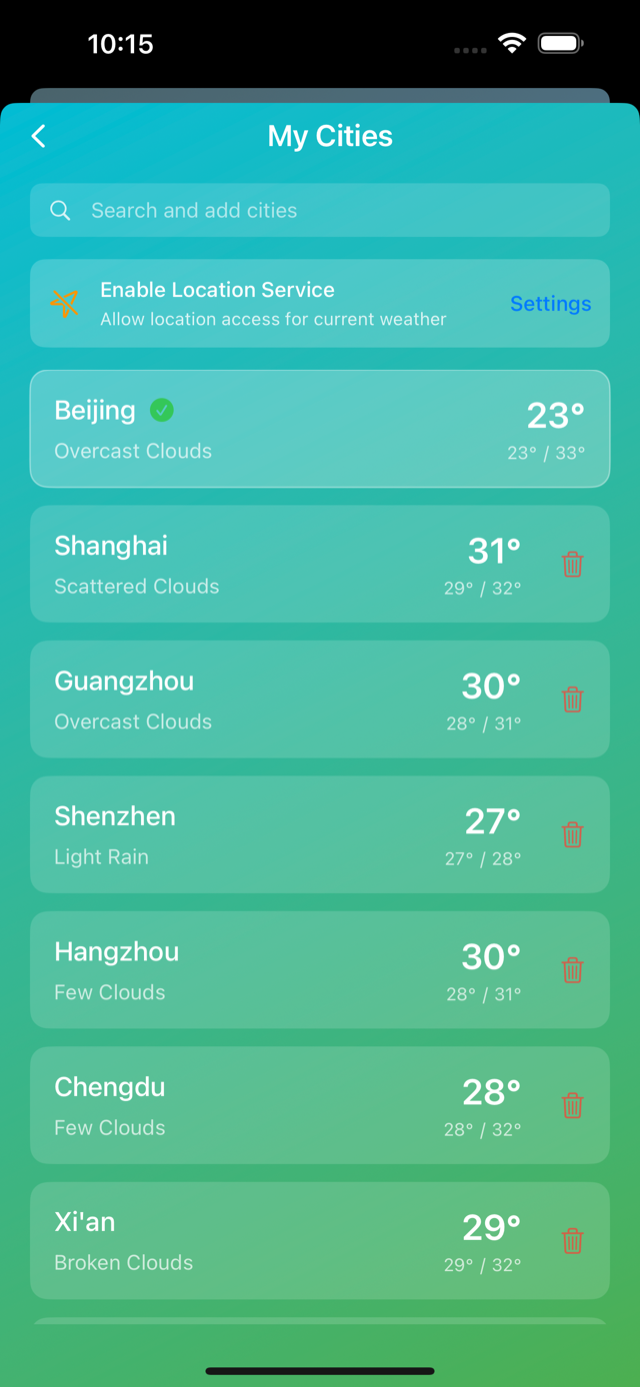
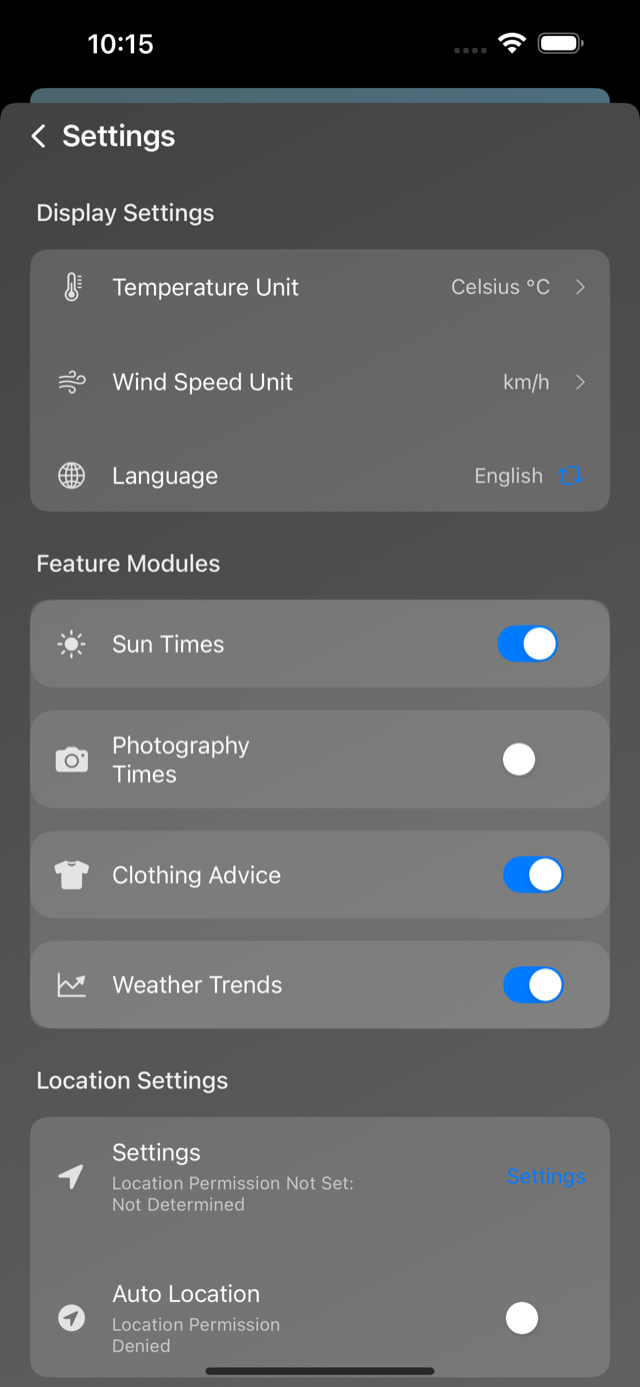
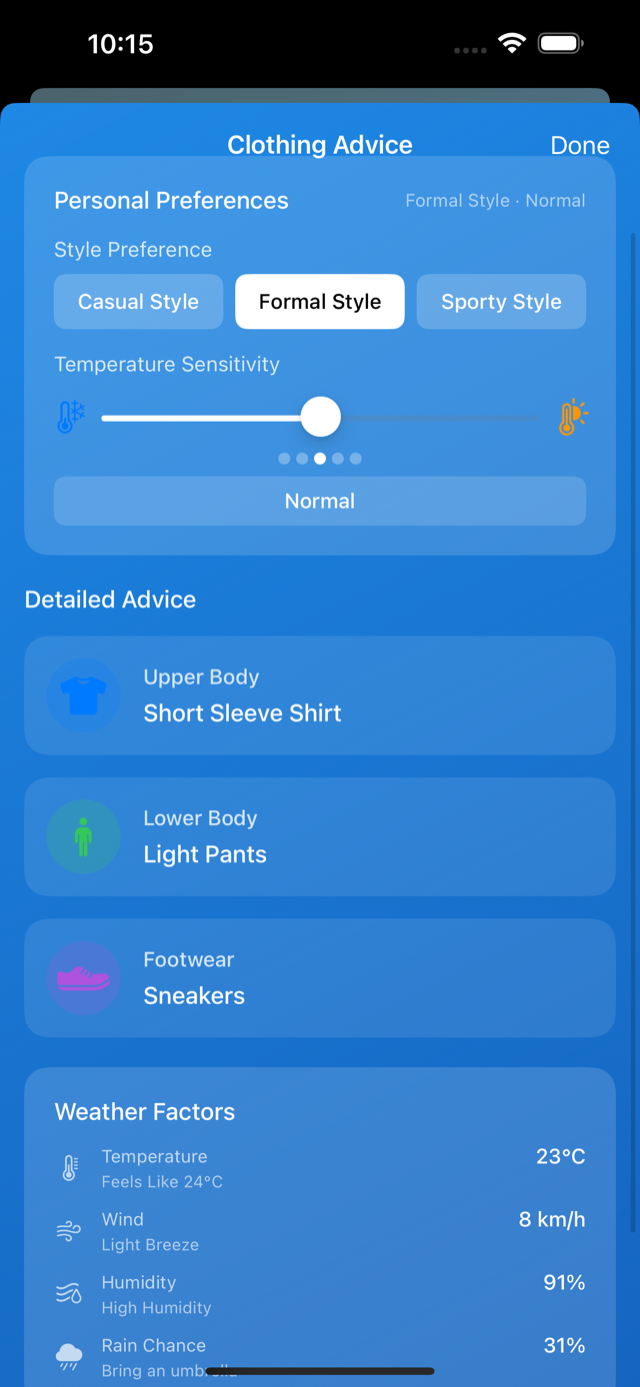
A day with AI Weather
Four quick glances, zero weather surprises.
-
7:30 AM
Glance at conditions before getting dressed.
-
8:15 AM
Hourly view picks your commute window.
-
3:40 PM
Rain cue: grab the umbrella before you leave.
-
9:00 PM
Scan the 7-day outlook, plan tomorrow.
Location is used for weather — with your permission
Weather needs location. AI Weather asks first, uses it only to fetch forecasts from weather providers, and you stay in control — change or revoke access anytime in Settings. No account required.
- Permission-based location
- Revoke anytime in Settings
- No account needed
- No ads, no tracking
Numbers everywhere. Decisions here.
What you actually get when you check the weather.
| What you get | Checking a browser | Typical weather widget | AI Weather |
|---|---|---|---|
| Hourly & 7-day numbers | Partly | Yes | Yes |
| What to wear / bring | No | No | Yes |
| Multiple cities in one place | No | Partly | Yes |
| EN / 中文 one-tap switch | No | No | Yes |
| No account, no ads | No | Partly | Yes |
Frequently Asked Questions
Does AI Weather need an internet connection?
Yes. Weather data is fetched from weather providers, so a connection is needed to refresh current conditions and forecasts.
How is my location used?
Location is permission-based and used only to retrieve weather for your area. You can deny, change, or revoke access anytime in system Settings.
Can I track more than one city?
Yes. Add and manage multiple cities for home, travel, and family, and switch between them at any time.
Do I need to create an account?
No. AI Weather works without sign-up or account creation.
Which languages does AI Weather support?
AI Weather offers a bilingual interface in English and Simplified Chinese, and you can switch anytime.
Download AI Weather
Make the forecast work for your day.
Free on the App Store · for iOS